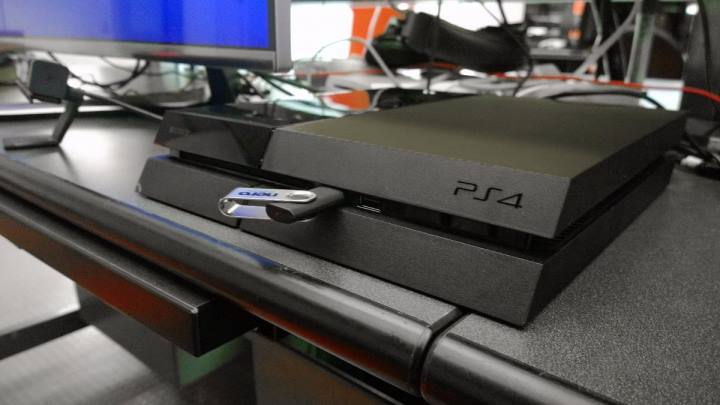
While they sound promising, you should keep in mind that their Tricks are neither a “Jailbreak”, nor a real hack, per se. What I am exactly talking about can be read below…
Prelude:
Without going to argue why or why not it should or should not be called a “Jailbreak“, I am just going to focus on the part why the so called “Playstation 4 Jailbreak/Hack” is nothing more than a cheap trick, at best.
Being able to dump & restore the NOR is of course a hard thing. I am in now way discrediting anyone who worked on being able to read the NOR of the PS4!
A
hardware hack is a real tough job, which requires precision & dedication.
The thing that is not only grinding my gears, but also other people’s, is that a simple trick is being sold to youas a fully fletched “PS4 Jailbreak” or even “Hack“, while it is neither.
If you have a (rather modern) Playstation device (PSP, PSPgo, PS Vita, PS VitaTV, PS3 or PS4), you will have noticed that you have to activate your device, before you are able to run any DRM-content (basically bought / account bound content). You are usually limited to 3 stationary (PS3/PS4) and 3 handheld (PSP, PSPgo, PS Vita, PS VitaTV) devices à PSN account.
This means, before you are able to use a 4th device with your account, you would usually have to disable one of your 3 devices prior to activating a fourth one.
In theory and even in reality this enables you to share one PSN account with 2 other people, which should reduce the cost of games by 3 (basically times 1/3rd).
But this being limited to only 2 other people, next to yourself – of course, is not really a profitable way of selling pirated games.
I am going to show in an example how easy it is to trick the Sony activation servers, as long as you are able to read & restore the Nand of your Playstation device.
Simply said: If you are able to create a nand dump, and restore it at a later date, you will be able to activate as many Playstation device to one account as you want.
If you want a longer explanation, then watch or read on:
How to link (virtually) infinite PS device to one PSN account:
Since the most open, rather modern, Playstation device is the Playstation Portable, I am going to use said PSP for my example.
Like I have said above, you are limited to having 3 portable devices à PSN account. If we are going to act like the PS Vita would not exist, this would mean that you can link up to 3 different PSPs to one PSN account, before being forced to disable one of the already enabled devices.
If you are able to dump the Nand of the device, but also able to restore said Nand at a later date, you will be able to circumvent said
activation limit of 3 devices.
It does not matter if you dump & restore the Nand via external devices (Hardware mod/flashers), or via a simple software dumper & flasher, e.g. via a Custom Firmware.
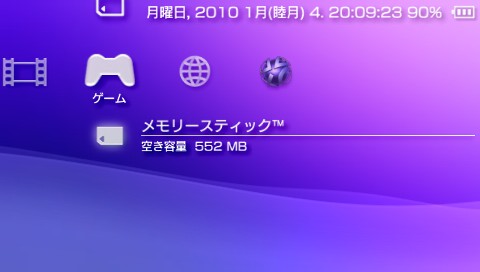
For my example my PSP 3000 is going to run the most recent official PSP firmware, system software 6.61, since it is required to visit the PSN store.
I am only going to ‘abuse’ the usage of a Custom Firmware, 6.61 LME-2.3 in this case, for dumping and restoing the Nand dump. Everything else will be showcased on the OFW itself.
Requirements:
- Being capable of accessing & using the PSN services
- Being capable of dumping and restoring the devices Nand (via Hardware mods or via software dumper tools)
- Being capable of abusing Sony’s activation server
So a PSP running system software 6.61, access to the 6.61 LME CFW & having a Nand dumper homebrew is virtually everything you need.
The so called “Hack”:
At first you do the same as a normal PSN user would do. Set up your PSP on firmware 6.61, connect to the Wifi and login into your PSN account.
Then go ahead and download some games. After you are done, be sure to check if they successfully boot (they should).
If they don’t, go into your Account management and manually activate your device for the usage of PSN titles (PSP & PS1 games in this case).
After we have confirmed that everything is working as intended, we are going to boot into the CFW and use the Nand dumper homebrew to create a Nand dump.
The next step would be connecting to the PSN servers once again (login into your PSN account), from which we are going to disable our device.
It should be available in the account management options, from which we are going to manually disable our device from using PSN content.
After disabling our device, the software, that was working a few minutes ago, should now report that it cannot be used, unless we (re-)activate our device.
We are not going to reactivate our device by connecting to the PSN servers, since this would fill one of our three slots for the portable devices.
Instead we are going to abuse being able to restore the just created Nand dump, which conveniently stores if the device is activates or not.
So we are going to boot back into the CFW, which enables us the restore the Nand dump.
After the Nand has been successfully restored, we will, once again, be able to boot the linked PSN accounts content, despite officially not being activated anymore.
In the end it is important to mention that connecting to the Internet, well… or at least to the Sony servers, will either re-activate your device by its own, or simply tell your device that it has been disabled, and therefore stops the software from working again (the more likely thing to happen).
Conclusion:
So in the end we are abusing the fact that Sony is storing the devices activation status on the device itself, rather than being forced to verify our device on every boot with the Sony servers (something similar to this is necessary with the PSM Dev app on the PS Vita), to ensure that we are not trying to trick them.
Before the Playstation 4, WiiU and Xbox One – which is still a *** name, by the way – had been officially released, there was the talk of them having an always online ‘feature’, which pretty much required you on every boot to connect to the companies servers, and verify that your device, account and co. are used like intended.
Due to most people not being a fan of this feature, they did not implement it (or removed it at an early date, depending on the console), which in the end is now the culprit for allowing the thing I just described. In hindsight, they better should have implemented this inconvenient feature into their consoles, to ensure that piracy is not going to happen, or at least very very limited (3 devices à account, in Sony’s case).
Back to the so called “revolutionary brazilian Playstation 4 ‘Jailbreak'”.
While it is not 100% confirmed what way of injecting the pirated games they are using, it is very likely that they are using a method similar to the one I just described:
Abusing being able to dump a Nand, restore a Nand and tricking the activation servers (which can be blocked in your router, thus technically enabling you to fully use the PSN account on the 4th, 5th, … Zth activated device).
Those were my 2 eurocents, heh, about this topic. Feel free to discuss in the comments section if you would agree with me, or if you think that I am being too close minded about this topic